
PeliFlo by The Fly Pelican
How PeliFlo text opt-in works
This page shows how shop owners and staff opt in to texts from PeliFlo by The Fly Pelican, the texting program The Fly Pelican LLC runs for its own PeliFlo customers.
Step by step
Go to the signup page
The person opens peliflo.com/start and picks a PeliFlo plan.
Enter email and mobile
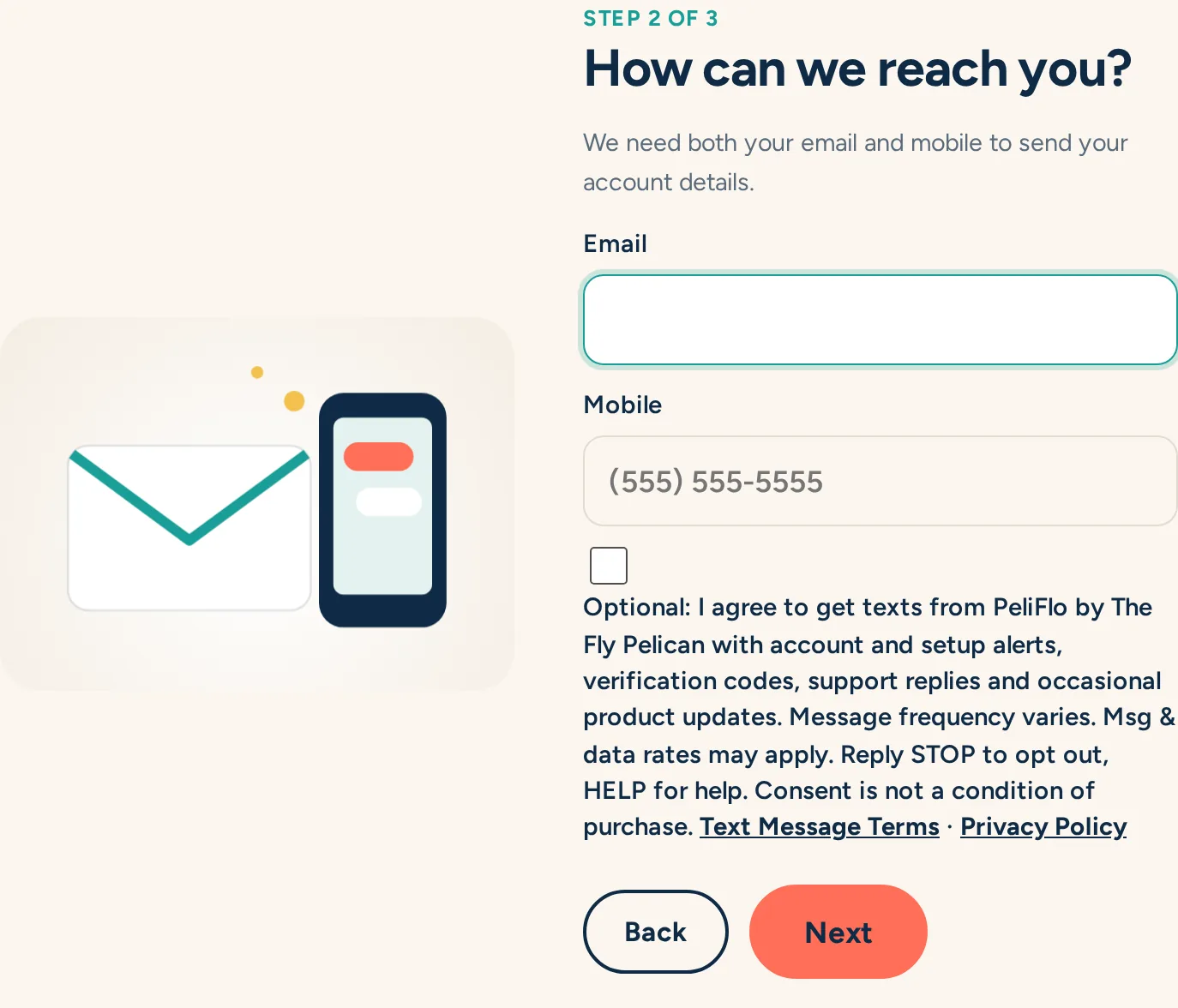
On the contact step they type their email and US mobile number so we can send their account details.
See the texting box, unchecked
Under the mobile field is a separate, optional checkbox. It is never pre-checked. It names the program, lists what is sent, says message frequency varies, msg & data rates may apply, Reply STOP to opt out and HELP for help, and that consent is not a condition of purchase, with links to the SMS Terms and Privacy Policy.
Choose freely
Checking it opts in to texts. Leaving it blank does not stop signup. It is separate from the Terms checkbox.
We keep a record
We store whether the box was checked, the date and time, and the exact text that was shown.
Opt out anytime
Replying STOP ends texts. HELP or support@peliflo.com gets help. People can also opt in by texting START to our number.
What texts are sent
- Account and setup alerts
- Verification codes
- Support replies
- Occasional product updates
Full terms: SMS Terms, Part C · Privacy Policy · support@peliflo.com